How Klmaty Works كيف يعمل كلماتي
Simple setup, no account required. Get started in minutes and let your child explore, learn, and grow safely. إعداد بسيط، لا حاجة لحساب. ابدأ في دقائق ودع طفلك يستكشف ويتعلم وينمو بأمان.
Download and Open the App حمّل وافتح التطبيق
Download Klmaty from Google Play Store (Android) or App Store (iOS - coming soon). Open the app and you'll see a splash screen with the Klmaty logo for 2 seconds. No account creation is required to start using the app - you can begin exploring immediately. حمّل كلماتي من متجر Google Play (Android) أو App Store (iOS - قريبًا). افتح التطبيق وسترى شاشة البداية مع شعار كلماتي لمدة ثانيتين. لا حاجة لإنشاء حساب لبدء استخدام التطبيق - يمكنك البدء في الاستكشاف فورًا.
What you'll need: ما ستحتاجه:
- Android device or iOS device جهاز Android أو iOS
- Internet connection for initial setup (app works offline after that) اتصال بالإنترنت للإعداد الأولي (يعمل التطبيق بدون إنترنت بعد ذلك)
- No account or email required to start لا حاجة لحساب أو بريد إلكتروني للبدء
Choose Your Language اختر لغتك
On first launch, you'll see a language selection screen. Choose between English and Arabic to set the app interface language. This selection can be changed anytime later from the Settings tab. Tap "Next" to continue. عند التشغيل الأول، سترى شاشة اختيار اللغة. اختر بين الإنجليزية والعربية لتعيين لغة واجهة التطبيق. يمكن تغيير هذا الاختيار في أي وقت لاحق من تبويب الإعدادات. اضغط "التالي" للمتابعة.
Language options: خيارات اللغة:
- English - Full app interface in English الإنجليزية - واجهة التطبيق الكاملة بالإنجليزية
- Arabic - Full app interface in Arabic (RTL support) العربية - واجهة التطبيق الكاملة بالعربية (دعم RTL)
- Can be changed anytime from Settings → Change Language يمكن تغييره في أي وقت من الإعدادات → تغيير اللغة
Introduction Walkthrough جولة التعريف
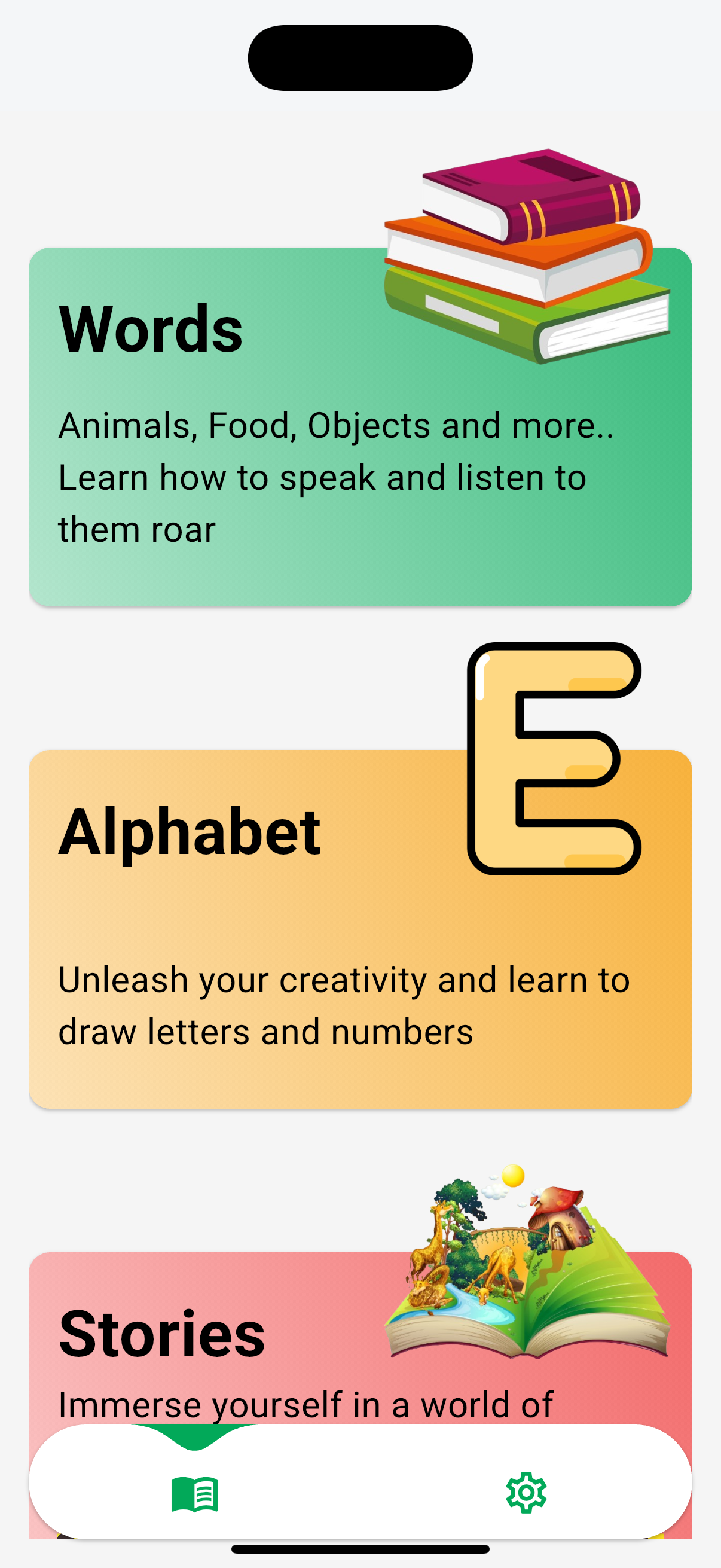
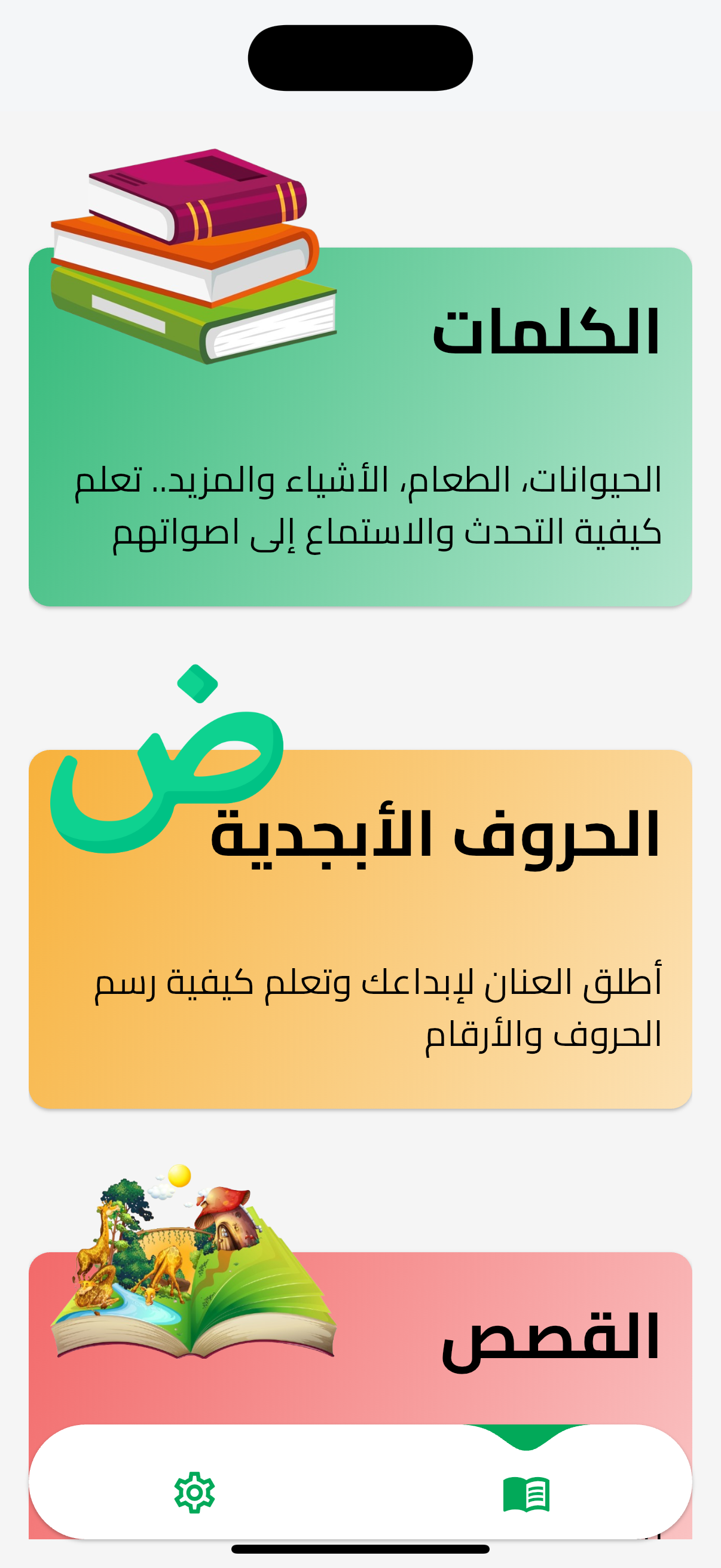
After language selection, you'll see a 5-screen introduction walkthrough explaining Klmaty's features. You can skip this walkthrough or complete it to learn about the app. After completion, the home screen appears with three feature cards. بعد اختيار اللغة، سترى جولة تعريفية من 5 شاشات تشرح ميزات كلماتي. يمكنك تخطي هذه الجولة أو إكمالها لمعرفة المزيد عن التطبيق. بعد الإكمال، تظهر الشاشة الرئيسية مع ثلاث بطاقات ميزات.
Walkthrough screens: شاشات الجولة:





- 1. "Discover and Learn" "اكتشف وتعلّم"
Explore fun categories like animals, food, and objects. Tap, listen, and learn new words in an exciting way! استكشف فئات ممتعة مثل الحيوانات والطعام والأشياء. استمع وتعلّم كلمات جديدة بطريقة شيقة
- 2. "Listen and Pronounce" "استمع وانطق"
Hear clear sounds of each letter and word, and improve pronunciation while having fun. استمع لأصوات الحروف والكلمات بوضوح، وتعلّم النطق الصحيح بطريقة ممتعة
- 3. "Play and Grow" "العب وتعلّم أكثر"
Unlock stories, drawing tools, and more educational fun as you learn and grow every day! اكتشف القصص وأدوات الرسم والمزيد من الأنشطة التعليمية أثناء تعلّمك وتقدّمك كل يوم
- 4. "Safe and Ad-Free" "تجربة آمنة بدون إعلانات"
Enjoy a calm, distraction-free experience with no ads — just pure learning fun for your child. استمتع بتجربة هادئة وآمنة خالية من الإعلانات، لتعلّم ممتع ومناسب لطفلك فقط
- 5. "Full Parental Control" "تحكّم أبوي كامل"
Parents can manage settings, monitor progress, and ensure a safe learning journey — easily and securely. يمكن للأهل إدارة الإعدادات ومتابعة التقدّم وضمان تجربة تعلّم آمنة بكل سهولة وأمان
Configure Parental Controls (Optional) قم بتكوين ضوابط الوالدين (اختياري)
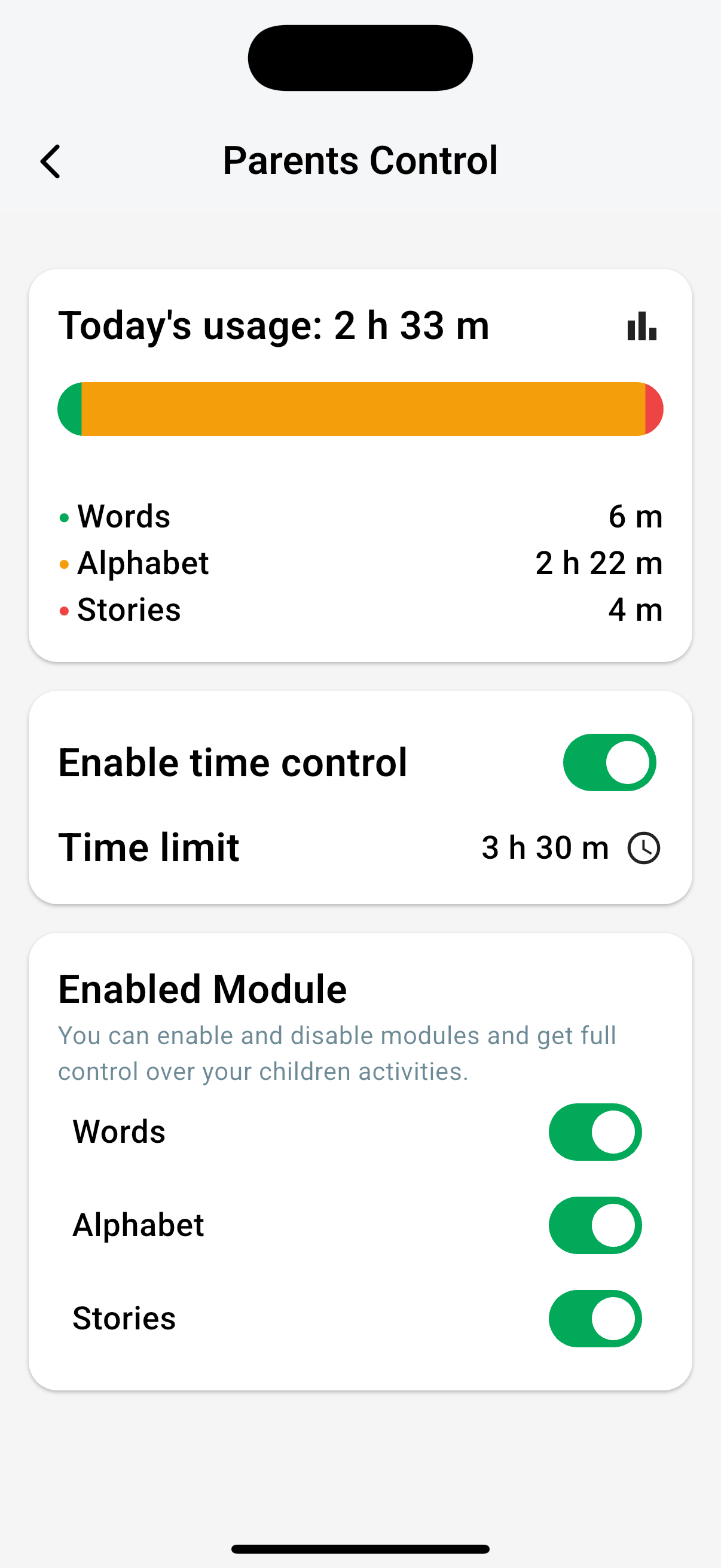
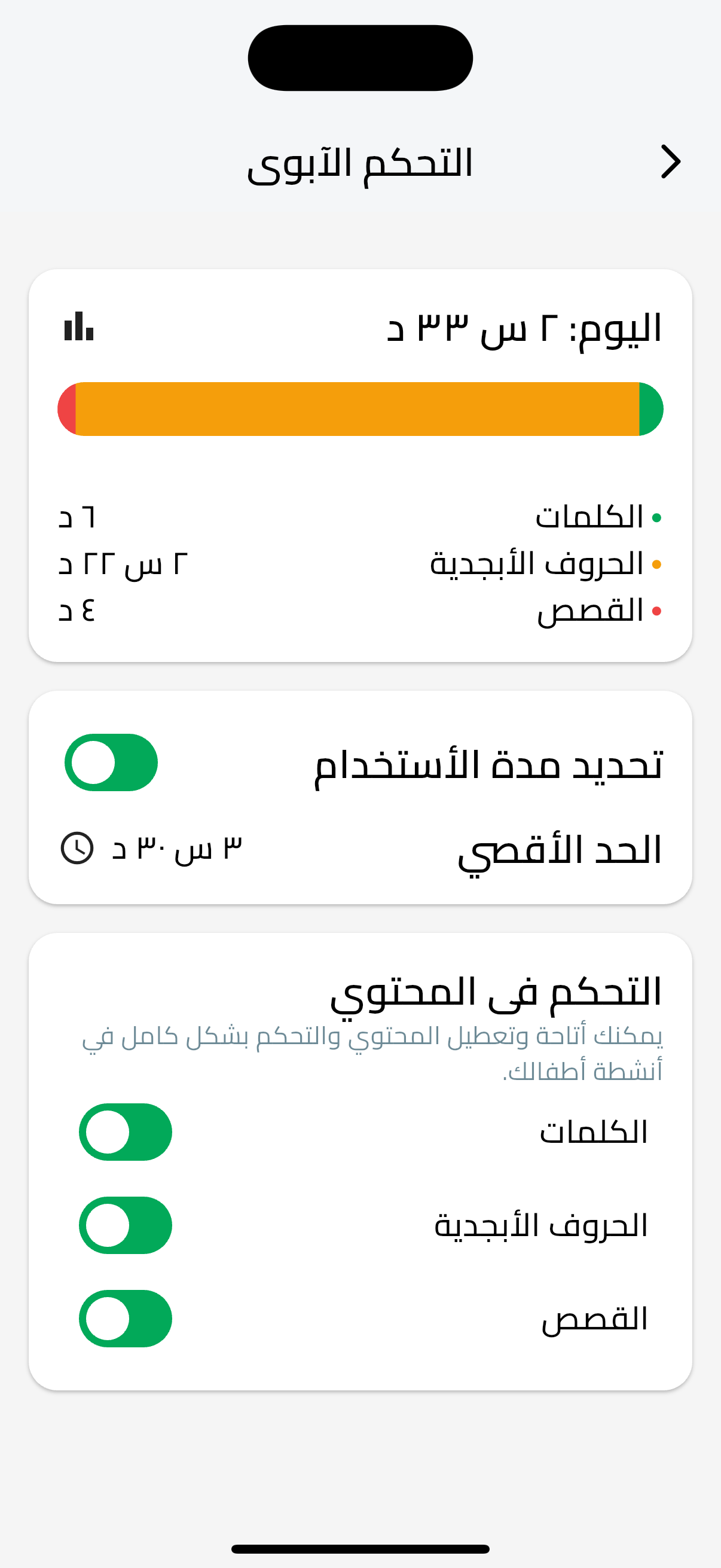
Parental controls are optional and can be configured anytime. To access them, tap the Settings tab (second icon in bottom navigation), then tap "Parents Control". If your device supports biometrics, you'll be prompted to authenticate. All settings are stored locally on your device. ضوابط الوالدين اختيارية ويمكن تكوينها في أي وقت. للوصول إليها، اضغط على تبويب الإعدادات (الأيقونة الثانية في التنقل السفلي)، ثم اضغط "ضوابط الوالدين". إذا كان جهازك يدعم القياسات الحيوية، سيُطلب منك المصادقة. جميع الإعدادات مخزنة محليًا على جهازك.

Time Limits حدود الوقت
Toggle "Enable time control" ON, then tap "Time limit" to set daily usage limit in hours and minutes (5-minute intervals). فعّل "تفعيل التحكم في الوقت"، ثم اضغط "حد الوقت" لتعيين حد الاستخدام اليومي بالساعات والدقائق (فواصل 5 دقائق).
Warning appears at 5 minutes remaining. Limits reset daily at midnight. يظهر تحذير عند بقاء 5 دقائق. يتم إعادة تعيين الحدود يوميًا في منتصف الليل.
Module Control التحكم في الوحدات
In "Enabled Module" section, toggle switches to enable or disable Words, Alphabet, or Stories modules individually. في قسم "الوحدة المفعلة"، قم بتبديل المفاتيح لتفعيل أو تعطيل وحدات الكلمات أو الحروف أو القصص بشكل فردي.
Usage Tracking تتبع الاستخدام
View "Usage Card" showing today's usage and last week's usage. Tracking is automatic - no manual logging needed. اعرض "بطاقة الاستخدام" التي تظهر استخدام اليوم واستخدام الأسبوع الماضي. التتبع تلقائي - لا حاجة لتسجيل يدوي.

Learning Summary ملخص التعلم
View progress counts: words learnt, alphabets learnt, alphabets drawn, and stories watched. اعرض أعداد التقدم: الكلمات المتعلمة، الحروف المتعلمة، الحروف المرسومة، والقصص المشاهدة.
Biometric Protection: الحماية البيومترية:
If your device supports biometrics (fingerprint or face recognition), you'll be prompted to authenticate when accessing Parents Control. If no biometrics are available, access is granted without authentication. This ensures children cannot change settings. إذا كان جهازك يدعم القياسات الحيوية (بصمة الإصبع أو التعرف على الوجه)، سيُطلب منك المصادقة عند الوصول إلى ضوابط الوالدين. إذا لم تكن القياسات الحيوية متاحة، يتم منح الوصول بدون مصادقة. يضمن هذا أن الأطفال لا يمكنهم تغيير الإعدادات.
Let Your Child Explore and Learn دع طفلك يستكشف ويتعلم
Once setup is complete, hand the device to your child. They'll see the home screen (Features tab) with three large feature cards: Words (green), Alphabet (yellow), and Stories (red). Your child can tap any card to explore that module. The app automatically tracks usage and learning progress. If time limits are enabled, a warning appears at 5 minutes remaining, and when the limit is reached, usage is blocked until the next day. بمجرد اكتمال الإعداد، امنح الجهاز لطفلك. سيرى الشاشة الرئيسية (تبويب الميزات) مع ثلاث بطاقات ميزات كبيرة: الكلمات (أخضر)، الحروف (أصفر)، والقصص (أحمر). يمكن لطفلك النقر على أي بطاقة لاستكشاف تلك الوحدة. يتتبع التطبيق تلقائيًا الاستخدام وتقدم التعلم. إذا تم تفعيل حدود الوقت، يظهر تحذير عند بقاء 5 دقائق، وعند الوصول إلى الحد، يتم حظر الاستخدام حتى اليوم التالي.
What your child will experience: ما سيجربه طفلك:
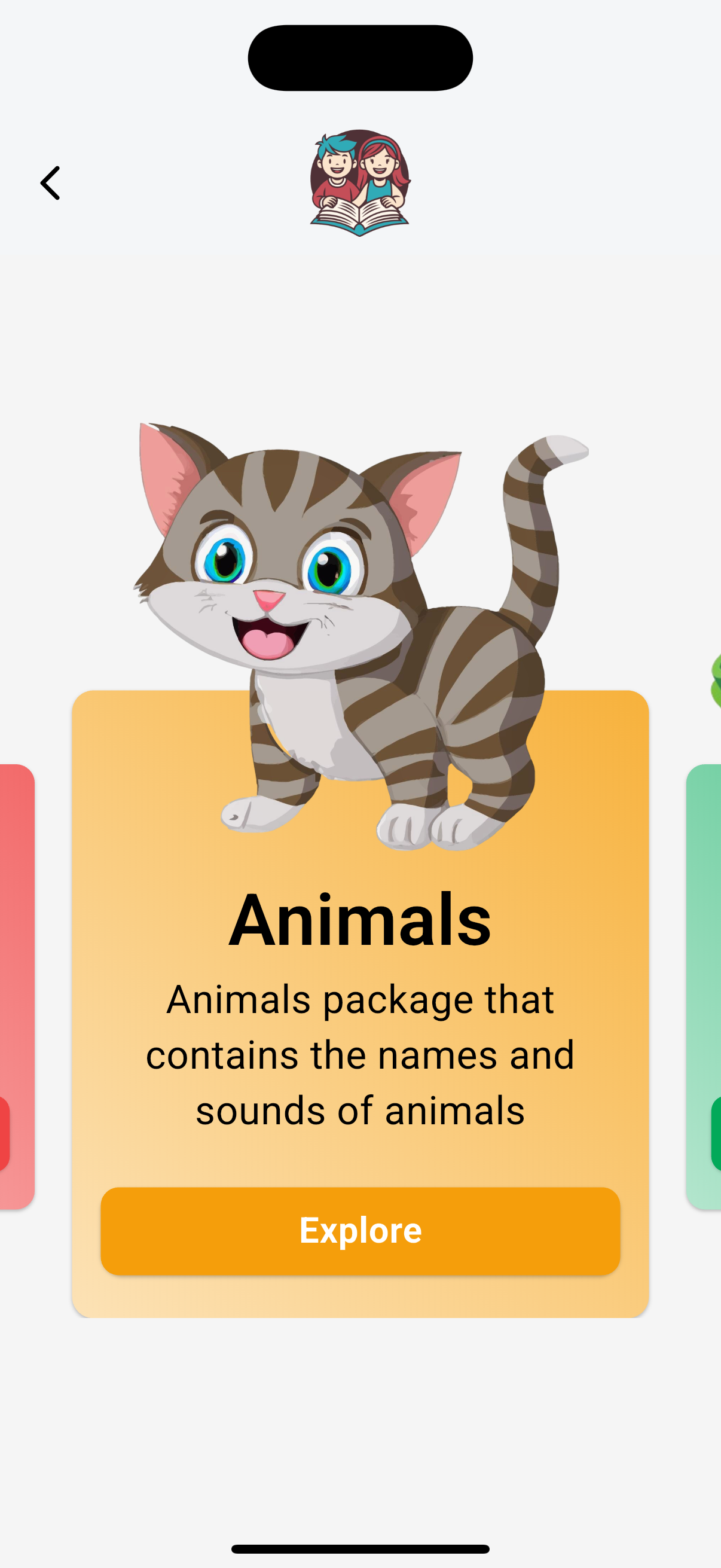
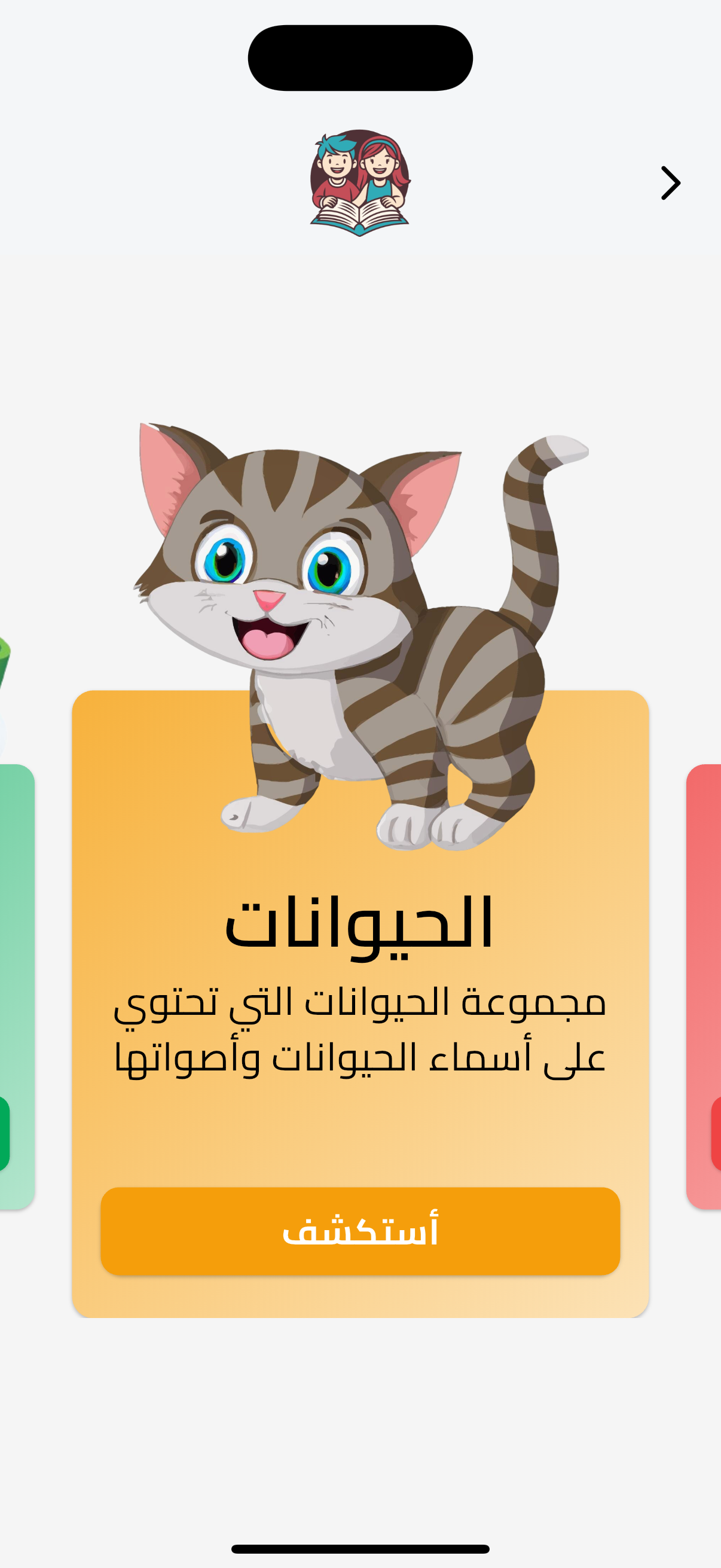
- Words Module: 30+ words across Animals, Food, Objects with sounds and pictures وحدة الكلمات: أكثر من 30 كلمة في الحيوانات والطعام والأشياء مع أصوات وصور
- Alphabet Module: All English and Arabic letters with pronunciation practice وحدة الحروف: جميع أحرف الإنجليزية والعربية مع ممارسة النطق
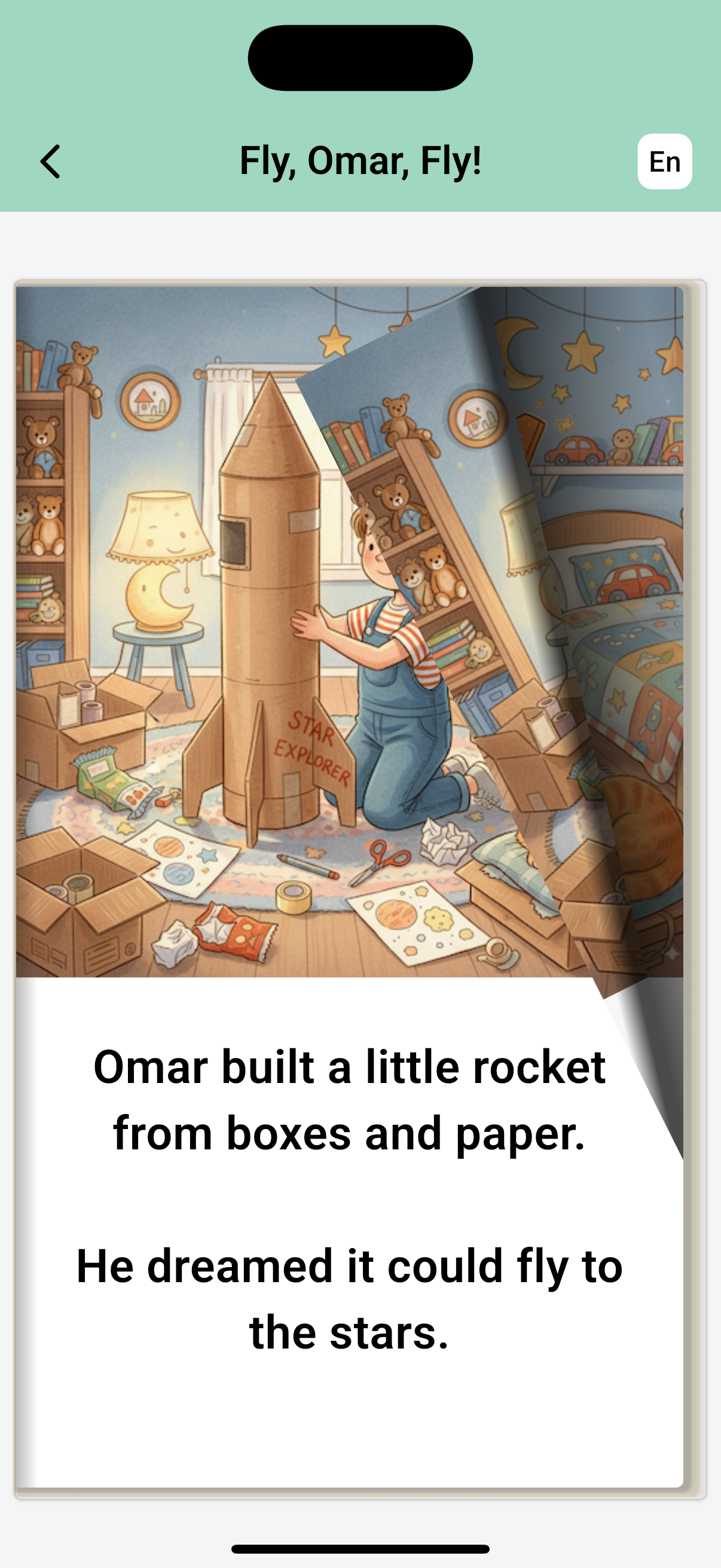
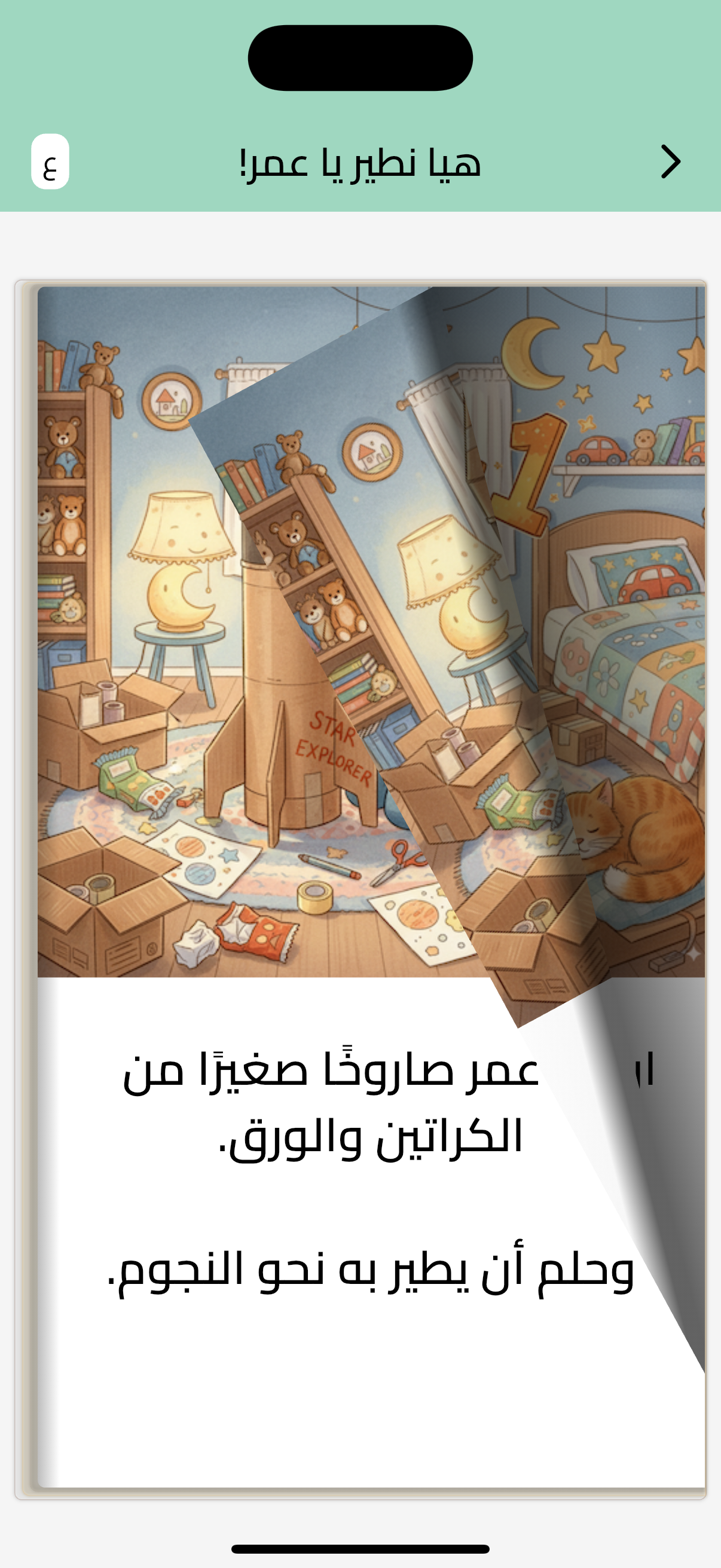
- Stories Module: 5+ interactive illustrated stories like "Fly, Omar, Fly!" / "هيا نطير يا عمر!" وحدة القصص: أكثر من 5 قصص تفاعلية مصورة مثل "هيا نطير يا عمر!"
- Automatic progress tracking - no manual logging needed تتبع التقدم التلقائي - لا حاجة لتسجيل يدوي
- Works offline after initial setup - all content is cached يعمل بدون إنترنت بعد الإعداد الأولي - جميع المحتويات مخزنة مؤقتًا
Key Features الميزات الرئيسية
No Account Required لا حاجة لحساب
Start using Klmaty immediately without creating an account. Login (Google/Apple) is only required when purchasing a subscription. ابدأ استخدام كلماتي فورًا دون إنشاء حساب. تسجيل الدخول (Google/Apple) مطلوب فقط عند شراء اشتراك.
Local Storage التخزين المحلي
All settings, progress, and usage data are stored locally on your device. Your privacy is protected - no data is sent to external servers. جميع الإعدادات والتقدم وبيانات الاستخدام مخزنة محليًا على جهازك. خصوصيتك محمية - لا يتم إرسال البيانات إلى خوادم خارجية.
Offline Capable يعمل بدون إنترنت
After the initial setup and content download, Klmaty works completely offline. Your child can learn and play without an internet connection. بعد الإعداد الأولي وتحميل المحتوى، يعمل كلماتي بالكامل بدون إنترنت. يمكن لطفلك التعلم واللعب بدون اتصال بالإنترنت.
Automatic Tracking تتبع تلقائي
Usage and learning progress are tracked automatically. No manual logging required. View summaries anytime from Settings → Parents Control. يتم تتبع الاستخدام وتقدم التعلم تلقائيًا. لا حاجة لتسجيل يدوي. اعرض الملخصات في أي وقت من الإعدادات → ضوابط الوالدين.
Frequently Asked Questions الأسئلة الشائعة
Do I need to create an account to use Klmaty? هل أحتاج لإنشاء حساب لاستخدام كلماتي؟
No, you don't need an account to use Klmaty. You only need to sign in (Google or Apple) when purchasing a subscription. لا، لا تحتاج لحساب لاستخدام كلماتي. تلقائيًا. تحتاج فقط لتسجيل الدخول (Google أو Apple) عند شراء اشتراك
Can I use Klmaty on multiple devices? هل يمكنني استخدام كلماتي على أجهزة متعددة؟
Since Klmaty uses local storage, each device maintains its own separate data. Settings and progress are not synced across devices. For subscription purchases, you can restore purchases on other devices using the same Google/Apple account. نظرًا لأن كلماتي يستخدم التخزين المحلي، يحافظ كل جهاز على بياناته المنفصلة. الإعدادات والتقدم غير متزامنة عبر الأجهزة. بالنسبة لشراء الاشتراكات، يمكنك استعادة المشتريات على أجهزة أخرى باستخدام نفس حساب Google/Apple.
Is Klmaty available offline? هل كلماتي متاح بدون اتصال بالإنترنت؟
Yes! After the initial setup and content download, Klmaty works completely offline. All content is cached on your device, so your child can learn and play without an internet connection. نعم! بعد الإعداد الأولي وتحميل المحتوى، يعمل كلماتي بالكامل بدون إنترنت. جميع المحتويات مخزنة مؤقتًا على جهازك، لذلك يمكن لطفلك التعلم واللعب بدون اتصال بالإنترنت.
How do time limits work? كيف تعمل حدود الوقت؟
When you enable time limits in Parents Control, you set a daily usage limit. A warning dialog appears when 5 minutes remain. When the limit is reached, a dialog appears, an audio alert plays, and app usage is blocked. The child is returned to the home screen and feature cards become non-interactive. Limits reset daily at midnight. عند تفعيل حدود الوقت في ضوابط الوالدين، تقوم بتعيين حد استخدام يومي. يظهر حوار تحذيري عند بقاء 5 دقائق. عند الوصول إلى الحد، يظهر حوار، يتم تشغيل تنبيه صوتي، ويتم حظر استخدام التطبيق. يعود الطفل إلى الشاشة الرئيسية وتصبح بطاقات الميزات غير تفاعلية. يتم إعادة تعيين الحدود يوميًا في منتصف الليل.
Can I change the language later? هل يمكنني تغيير اللغة لاحقًا؟
Yes, you can change the language anytime from Settings → Change Language. The app interface will switch between English and Arabic immediately. نعم، يمكنك تغيير اللغة في أي وقت من الإعدادات → تغيير اللغة. ستتحول واجهة التطبيق بين الإنجليزية والعربية فورًا.
How do I restore my subscription on a new device? كيف أستعيد اشتراكي على جهاز جديد؟
Go to Settings → Restore Purchases. Make sure you're signed in with the same Google (Android) or Apple (iOS) account you used to purchase the subscription. Your subscription will be restored automatically. اذهب إلى الإعدادات → استعادة المشتريات. تأكد من تسجيل الدخول بنفس حساب Google (Android) أو Apple (iOS) الذي استخدمته لشراء الاشتراك. سيتم استعادة اشتراكك تلقائيًا.
Ready to Get Started? هل أنت مستعد للبدء؟
Download Klmaty today and give your child a safe, engaging place to learn. No account needed - start exploring immediately! حمّل كلماتي اليوم وامنح طفلك مكانًا آمنًا وجذابًا للتعلم. لا حاجة لحساب - ابدأ الاستكشاف فورًا!